ウェビナー・オンデマンド
効率化への道をマッピングする:フィーチャー・トゥ・フィーチャー・セット・マッピングがいかに価値を解き放つか
- 2025年11月12日
- 30分
ライセンス使用レポートは、多くの場合、機能レベルで止まっている。しかし、そのような見方だけでは、ソフトウェア 実際にどのように消費されているかを歪めてしまう可能性があります。フィーチャーからフィーチャーセットへのマッピングは、個々のフィーチャーをそれらが属するパッケージやバンドルに接続し、欠けているコンテキストを提供します。本セッションでは、このマッピングが正確なレポーティングに不可欠である理由と、フィーチャーレベルとパッケージレベルのデータを比較することで、利用率、エンタイトルメントの整合性、コスト効率に関する深い洞察がどのように得られるかを説明します。
- 全体像を把握する:個々の機能を実際のライセンスパッケージに関連付けます。
- 正確なレポート:機能別およびパッケージ別の利用状況を比較する。
- 明確な判断:コスト、チャージバック、監査に関する意思決定をより賢明に進めましょう。
録画をご覧ください
すぐにアクセス可能 — 待つ必要はありません。また、スライドのコピーをメールでお送りします。
このウェビナーの内容
2025年11月に収録されたこのOpen iT ウェビナーでは、個々の機能レベルにとどまるライセンス使用状況レポートが、ソフトウェア の実際の利用状況を歪めてしまう理由と、機能と機能セットのマッピングによってその問題を解決する方法について解説しています。Open iTのシニアソリューションコンサルタントであるリンダ・コール氏が、ANSYSおよびAspenTechの実際の事例を用いて、Open iT が、難解なライセンスファイルの機能名をベンダーの実際の有料パッケージにどのようにマッピングし、そのマッピングを利用して有効なライセンス状況の算出、ライセンスの不正利用や独占利用の特定、契約内容の再編成のシミュレーションを行うかを解説します。
学習内容
- なぜ機能単位での報告だけでは、ソフトウェア の実際の利用状況やコストを正確に反映できないのか。
- Open iTの機能セット間マッピングが、難解なライセンスファイルの機能名を、多対多の関係であっても、ベンダーの実際の有料パッケージとどのように結びつけているか。
- ライセンス効率チャートを読み解き、99%または95%の信頼水準で有効なライセンスポジションを算出する方法。
- ライセンス需要を水増しさせる「キャンピング(長いチェックアウト)」や「ホギング(複数の同時チェックアウト)」といった挙動をどのように見分けるか。
- 更新時の契約リミックスの決定において、汎用的な機能セットのマッピングがどのように役立つか。
各章のタイムスタンプ
00:01開会の挨拶と登壇者の紹介
01:25機能間のマッピングとは何か、そしてなぜそれが重要なのか
04:20例:AspenTechの機能セットと意味不明な機能名
05:30マッピングアルゴリズムの仕組み:ANSYSの例
08:40「ソフトウェア 」の共有アセットディレクトリを用いたデータの正規化
09:59機能レベルとパッケージレベルのレポート
14:05ライセンス効率チャートと有効ライセンスポジションの読み方
17:08キャンプ行為や独占行為の発見
20:22汎用的な機能セットのマッピングと契約のリミックスシナリオ
24:45ライブQ&A
文字起こしを表示
[0:01] メイ:皆さん、おはようございます、こんにちは、そしてこんばんは。「効率化への道筋を描く」と題した本日のセッションへ、皆様をお迎えできることを嬉しく思います。「機能と機能セットのマッピングが価値を解き放つ」――私はメイと申します。本ウェビナーの司会を務めさせていただきます。本日は、講演者が「機能と機能セットのマッピング」が、ライセンス使用状況レポートにおいて欠けていた文脈をどのように補完できるかについて解説します。 セッション終了時には、正確なレポート作成においてマッピングが不可欠な理由、そして機能レベルとパッケージレベルのデータを比較することで、利用状況、ライセンス権限の整合性、コスト効率についてより深い洞察が得られる仕組みをご理解いただけるはずです。プレゼンテーション中にご質問がございましたら、Q&Aパネルにご記入ください。講演者が質疑応答の時間にお答えいたします。
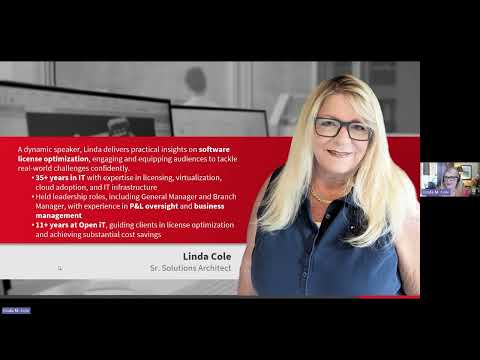
[0:44]本講演者は、ソフトウェア のライセンス最適化に関する実践的な知見を通じて聴衆の関心を惹きつけ、実世界のIT課題に自信を持って取り組めるよう支援します。IT管理およびゼネラルマネージャーなどのリーダーシップ職において35年以上の経験を持つ彼女は、仮想化、クラウド導入、ITインフラストラクチャに関する専門知識を有しています。Open iT に11年以上在籍し、データに基づく知見とソフトウェア の利用状況計測を通じて、クライアントが大幅なコスト削減を実現し、ソフトウェア のライセンスを最適化できるよう指導してきました。 皆様、Open iT のシニア・ソリューション・コンサルタント、リンダ・コール氏を温かくお迎えください。
[1:25] リンダ:メイ、素敵な紹介をありがとう。本当に感謝しています。そして、皆さん、今週のウェビナーへようこそ。今回は、私たちが「機能対機能セットのマッピング」と呼んでいるテーマについて取り上げていきます。それでは、まずは基本から始めましょうか。具体的に何について話しているのでしょうか? これはどのような場面で重要になるのでしょうか?今日特に焦点を当てるのは、ライセンス管理を担当する私たちにとって、ベンダーからの見積書や請求書などに記載されている購入内容と、各計測ツールが示している内容を照合することが非常に難しいという点です。つまり、パッケージやバンドル単位で購入するものの、そのレベルでのレポート機能は実際には備わっていないのです。 実際のライセンスファイル自体を管理している方なら、その不可解な命名規則にはお馴染みでしょう。これが課題となるのは、それに慣れているライセンス管理者にとっては問題ないかもしれませんが、ベンダー管理担当者や調達担当者、部門長などにとっては、それが何なのか理解できないからです。彼らはそのようなものを目にしたことがなく、関連付けができないのです。 ベンダーと話し合う際、彼らは常に、いわゆる「価格表」形式の命名規則で話してきます。そこで、パッケージングの文脈だけでなく、名称の正規化という文脈も踏まえておかないと、実際のライセンス状況――つまり、ライセンスがいくつあり、どこにあるのか――を把握することが非常に困難になります。「多すぎるのか?」「足りないのか?」「組織内でどの程度のライセンスが必要なのか?」といった判断が難しくなるのです。
[3:04]つまり、これは単に「バンドルがあり、そこに3つ、4つ、5つの異なるコンポーネントが含まれている」といった単純なパッケージングではなく、次のケースのように「1対多」の関係になるものです。 今日私たちが本当に焦点を当てているのは「多対多」の関係であり、それについてお話ししたいと思います。その解決策は、もちろん「機能と機能セットのマッピング」と呼ばれるものです。他の人もやっているかもしれませんが、私はまだ誰もこれを行っているのを見たことがありません。私が知らないだけかもしれませんが、今日はこの手法の概念についてお話ししたいと思います。確かに、独自のツールなどを開発している方々もいらっしゃいます。 そうした観点からは参考になるかもしれませんが、今回は主にこの概念そのものと、なぜご自身の環境でこの種の設定を行えることが重要なのかについてお話ししたいと思います。もちろん、先ほど触れたように、データの正規化についても検討していきます。これはあらゆる運用における重要な課題であり、その意味を理解し、データを利用する誰もが理解して関連付けられるようにすることが求められます。
[4:20]そこで、いくつか例を挙げて説明します。まずはAspentechから始めますが、基本的に、ここで私が「機能セット」と呼んでいるものを見ると、これらはベンダーからの見積書やウェブサイト、請求書などに記載されているような情報です。つまり、これらは提供されているさまざまなバンドルやパッケージのことです。 こちらにある「機能名」ですが、これが先ほど触れた難解な名称のことです。これは、例えばライセンスファイルに記載されているようなものです。おそらく多くの皆さんはライセンスファイルを確認しないと思いますが、繰り返しになりますが、これはあくまで、この概念が何であり、私たちが何を話しているのかを理解するための基礎を築くためのものです。
[5:07]さて、この最初の資本コスト推定ツールは3つの異なる要素で構成されています。もちろん、「自分がいくつ所有しているか」も把握する必要がありますよね。そこで、再び請求書のサンプルをご紹介します。ここには、いわば標準化された価格表のようなものが記載されていますが、これをどのように関連づければよいのでしょうか?
[5:30]そこで、Open iT では、いわゆる「特徴量から特徴量セットへのマッピング」を行うために、高度なアルゴリズムを採用しています。そこで、これがどのように機能するのか、そしてなぜ単純な処理ではないのかについて、ご説明しましょう。さて、ここには3種類のパッケージがあります。これをお見せします。これが私が所有している数です。 この「CFD Pro」というパッケージを5つ持っています。これらは、そのパッケージに含まれているさまざまな機能です。それでは、これを展開してみましょう。 いくつかのレベルがあります。ここでは、CFD Pro、プレミアム、エンタープライズの各エディションを見ていきます。少し分かりやすくするために、Proに含まれるすべての機能をこの薄い緑色でハイライトしました。ご覧の通り、これらはプレミアムにも含まれています。エンタープライズにも含まれています。同様に、プレミアムは水色で、この薄茶色のような色はエンタープライズを表しています。
[6:39]つまり、これがどのように機能するか、そして何がこれをより複雑にしているかというと、実際の運用において、例えば「Fluent Meshing Pro」を使いたいというユーザーがいるとしましょう。 まず、その機能を開いた最初の5人のユーザーは、5,000ドルというコスト基準を持つパッケージAに割り当てられます。しかし、6人目のユーザーが必要とした場合、それはパッケージBへと段階的に移行することになり、こちらはかなり高額になります。その後、さらに10人がこれに続き、再びフェイルオーバーが発生します。つまり、この仕組みを非常に難しくしている要因は、一意な機能が存在しない点にあるのです。 もちろん、エンタープライズレベルになれば、私が今お見せしているこれら3つの機能の中に固有の機能があるかもしれませんが、このベンダーのポートフォリオは膨大です。そのため、これらの個々の機能は他のパッケージにも含まれている可能性があります。たとえば、プレップ・ポストといった機能などです。つまり、「よし、分析を行いたい」と言えるような、必ずしも固有の機能があるわけではないのです。
[7:49]ANSYSや、私がこれまで見てきた他のベンダー(ANSYSだけではありませんが)の場合、特にANSYSでは、これらのライセンスはライセンスサーバー上に設置されたライセンスマネージャーを通じて管理されています。ANSYSには、そのライセンスマネージャー用のアドオンや拡張機能があり、そこにレポート機能が備わっています。これは素晴らしい機能ですが、レポートは個々の機能レベルでのものであり、パッケージレベルでのレポートではありません。 そこで、さまざまなレポートや分析方法、そしてそのデータの分析手法についてお見せしますが、まずはこの点を前提としておきたいと思いました。そうですよね? だからこそ、必ずしも単純な話ではないのです。これを理解するためには、より複雑なアルゴリズムが組み込まれているのです。
[8:40]正規化については先ほども少し触れましたが、改めて簡単にお話しします。ご存知の通り、入ってくる情報の命名規則は、必ずしも分かりやすいものや価格表のような形式になっているとは限りません。そこで現在、私たちは「SSAD」と呼ばれる、共有ソフトウェア 資産ディレクトリを使用し、この情報を取得して変換しています。 ご存知のように、以前は顧客からその情報を得ていましたが、現在はデータベースを導入し、継続的にデータを追加しているため、そのデータベースにアクセスするだけで済むようになっています。例えば、ここにある「Fluent Setup Post」という分かりにくい名称がありますが、処理が完了すると、これが「ANSYS Fluent Setup and Post」という、いわゆる価格表の名称に変換されます。 繰り返しになりますが、これは重要な点です。両方のコンポーネントが必要ですが、正規化を行わなくても処理は可能です。ただ、組織内で誰がデータを利用するかに応じて、処理が難しくなる可能性があります。
[9:59]それでは、データを分析するいくつかの方法と、それがなぜ重要なのかをご説明します。ここでは、個々の機能に注目しています。繰り返しになりますが、ライセンスサーバーにログインすれば、この情報を機能レベルで確認できます。 「ユニークユーザー数はあったか?」「利用されていたのは何人か?」「利用期間は?」といった情報です。ユーザー日数など、現在お使いのツールから得られる通常の利用状況情報はすべて確認可能です。これは、どのツールを使用しているかにかかわらず、どの分野でもごく一般的な情報です。これらは、本来入手できるべき情報です。しかし、これをこちらと比較してみましょう。 ここで注目しているのは、実際の機能セット、つまり価格表上の名称です。これにより、現在の有効なライセンス状況を判断するためのデータポイントが得られます。追加が必要か、削減が必要か。組織内の実際の利用状況に基づいて、現状はどうなっているのでしょうか?
[11:07]そうですよね? 多くの人が「部署の責任者に何が必要か聞いて、ユーザー分析を行い、予算や予測を立てています」と言うのですが、本当に確認すべきなのは、実際に何を使ったのか、そしてそれがグループや部門ごとにどう整合しているかですよね。 つまり、彼らが「必要だ」と言っているものと、実際に使用したものは一致しているのか、それともそこに乖離があるのか、ということです。この種のレポートを作成できれば、来年度の予算策定に向けた組織内のワークフローを検証することも可能です。また、例えば3年間の契約を結んでいて、その中にリソースの再配分に関する条項が含まれている場合にも、これは重要なポイントとなります。 つまり、毎年ライセンスの構成を再調整できるのです。必ずしもコスト削減につながるわけではありませんが、使用状況に基づいてポートフォリオを再構成できるため、生産性が向上します。お分かりいただけますか?このように、この種のデータを分析できることには、多くのメリットがあります。
[12:16]以上がANSYSの例でした。こちらはAspentechの例です。繰り返しになりますが、ここではより一般的な価格表の名称で報告しています。それでも、必要な通常の情報はすべて得られます。繰り返しになりますが、これが当社のツールでの動作方法です。他のツールでは、おそらくより生の名称が使用されているでしょう。たとえより分かりやすい名称に正規化されていたとしても、それらのバンドルにはまとめられていません。 では、次に何をすべきでしょうか?この情報がある状態で、パッケージ単位でレポートを作成できます。これが中期的な調整なのか、それともまったく新しい契約なのかを、どのように分析すればよいのでしょうか?そのデータをどのように確認すればよいのでしょうか?そこで、ここでいくつかの例を挙げて説明しましょう。
[13:10]この特定のポートフォリオについては、ここでは「プレポスト」に焦点を当てます。必要なのは、さまざまなデータポイントをたくさん集めることです。データポイントが多ければ多いほど、より情報に基づいた意思決定ができるからです。では、この2つのデータポイントだけを見てみると、「私はいくつ所有しているか?」という質問があります。私は7つ所有しています。 「いくつ使用したか?」7つ使用しました。これだけでは全体像が把握できませんよね? 例えば、必要な時にライセンスの取得を拒否された人はいたのでしょうか? 何がもっと必要で、何が不要なのか? ライセンスは取得できているのか? 最も効果的なライセンス体制が整っているのか? こうした情報を得るためには、やはり、より多くのデータポイントを確認する必要があります。
[14:05]そこで、これを分析する方法として――もちろん様々な方法がありますが――その一つが、いわゆる「ライセンス効率チャート」を確認することです。これを見れば、7つ目のライセンスが30分強しか使用されていなかったことが正確にわかりますよね? つまり、これで「これ以上は必要ない」と判断できるわけです。 拒否件数なども検討できますが、99%のケースや95%のケースで必要なライセンス数が把握できるのです。こうして追加のデータポイントを加味した今、もし私がこの分析を行うとしたら、第一に、このパッケージに対して追加のライセンスは絶対に必要ないと感じるでしょう。それどころか、ライセンス数をさらに削減できる可能性さえあるかもしれません。
[14:58]さて、過去についてですが、次のスライドに進みましょう。 ご覧の通り、この分析をポートフォリオ全体に拡大しました。いわゆる「通常業務」のケースですが、基本的に影響はゼロです。これは、過去に実際に使用した最大数でライセンスを取得する場合です。つまり、「これ以上の数は使ったことがないから、ライセンス数を減らしても構わない」というケースですね。一方で、99%や95%というケースもあります。歴史的に見ると、お客様は状況に応じて選択していました。 例えば、より高価な項目については、より厳格なライセンス体制を採用することがありました。つまり、お客様が「95%や99%の時間ならこれで十分だ」といった考え方をしていたわけではありません。しかし、ポートフォリオ内の各項目によって状況は異なり、単に「この列を選んでください」という単純な話ではなかったのです。
[15:43]最近のことですが、ご存知の通り、市場の状況もこうした状況ですし、経営陣からは「削減を行わなければならない」という要求が出ています。全社的にコストを削減しなければならないのです。ソフトウェア ライセンス事業は、エンジニアリングや開発部門にとっての「生活の糧」ではありますが。 ライセンス数を削減せざるを得ない状況だ。そこで、最近何社かの顧客について話すが、ある顧客は全分野で95%の削減を行ったのにはかなり驚いた。 もう1社は、全項目で98%の削減を行いました。ですから、その報告内容は変更可能です。標準は99%と95%ですが、変更や修正は可能です。ただし、自社組織におけるその閾値がどこにあるかを理解する必要があります。また、特定の割合で全体を一括して削減する「列単位のアプローチ」を採用するのか、あるいは、ある程度の拒否件数なら許容できるという判断をするのか、といった点も考慮する必要があります。 私の顧客の中には、「コストはいくらかかっても構わない。不承認は絶対に、絶対に、絶対に許さない」という姿勢の企業も1社あります。そのため、その特定の企業では、私たち他の99%の組織が抱えているようなコスト上の制約が存在しないのです。
[17:08]それでは、他にもいくつか例をお見せしましょう。まずはこちらをご覧ください。これは先ほど見ていたのと同じ情報ですね? 通常の業務と、ポートフォリオにおける99パーセントおよび95パーセントの値との比較です。しかし、私が皆さんにお見せしたいのは、さらに多くのデータポイントです。 ここにもまたCFDエンタープライズのデータがあります。ここには同じ数値が表示されており、この特定の99%と95%の項目については、いずれも8となっています。しかし、さらに掘り下げて、さらに多くのデータポイントを確認することができます。すると、なんと、912人のユーザーがこれら8つのライセンスを共有していることが分かります。ライセンスの効率性を確認することもできます。 各ライセンスがどれだけ使用されたかを確認することもできます。Excelで表示すると、フォーマットが少し異なります。 部門ごとの使用状況の内訳を確認できますが、こちらではさらに多くのデータポイントを提供するために、別の情報を追加しています。ここで「12日以上」と「12日未満」と表示されているのは、いわゆる「長期チェックアウト」や「ライセンスの占有」を指しています。ざっと見ると、こちらがユーザーで、この横には日数と、その日の使用時間が表示されています。 しかし、ここで注目したいのは、多くのユーザーが存在する点です。これはおそらく管理者かマシンでしょう。失礼、多くのユーザーがライセンスを「キャンプ」している、あるいはそのライセンスに対して長期チェックアウト状態にあることが分かります。つまり、これは、利用量が多いからかもしれない、ということですね?
[18:58]しかし、この状況を受けて、ユーザーがライセンスを独占しないよう、ユーザーの行動を変えるために何かできることはあるでしょうか?さらに、いわゆる「ホギング」(複数のライセンスを同時にチェックアウトすること)と組み合わせると、このような状況(何日間発生したか)に陥ったユーザーが多数いることもわかります。 しかし、ご覧の通り、2、3、4、6、8つのライセンス、あるいは4つを同時に使用していたことが分かります。
[19:34]つまり、ここからわかるのは、私たちにはユーザーを教育する能力があるということです。実際のところ、エンドユーザーのほとんどは、何が起きているのか全く把握しておらず、コストへの影響も理解していないのです。そこで、アラートを活用したり、トレーニングを実施したり、さまざまな手段を講じて、ユーザーが理解できるよう支援することができます。そうすることで、より多くのデータポイントを得て、状況をより的確に把握できるようになるのです。 はい、8という数値には納得しています。では、もう1つ例を見てみましょう。ここ、569という数値ですが、最大値を使用しています。しかし、99%のケースでは、実際には508に過ぎませんでした。繰り返しになりますが、こうしたデータポイントを横断的に確認することで、分析がはるかに容易になります。
[20:22]しかし、ここで皆さんに、おそらくあまり馴染みのない機能と対比させてお見せしたいことがあります。それは、私が「汎用機能セット」と呼ぶものです。先ほど、機能セットのマッピングにおいて、所有数とコストが考慮されているスライドをお見せしたのを覚えていらっしゃいますか?つまり、いわば連鎖的な影響を考慮して、コストを適切にランク付けしているわけです。 また、一部の組織にとっては非常に有益な機能として、いわゆる「汎用設定」を行うこともできます。これは、所有数に関係なく、単に使用量に基づいて設定するものです。アルゴリズムには依然としてコスト要素が含まれていますが、実際の最大値ではなく、単に大きな数値、例えば9999といった値を入力するのです。 これで、システムは「もしコストがこのように配分されたら」という前提で計算を行うようになります。つまり、ランキングや、何台使用するかといったことを算出するわけです。つまり、同じシナリオで、「最大で何台使うか?」という問いに対して、99や95といった数値が提示されるのです。
[21:43]でも、ここで戻って、「よし、私が持っているのは、この銘柄は1300だけど、必要なのは764だけだし、例があると思う。 さあ、どこが違うのか見てみましょう」と言えるのです。この例では結果は同じでしたね? やはり3でした。しかし重要なのは、そこからポートフォリオ全体を精査して把握できるということです。ここではいくつかの例を挙げただけです。例えば現在、プレミアムでは2つしか保有していませんが、より安価な「Mechanical Pro」オプションが採用されるよう最適化するには、3つ使用することも可能です。 また、「Mechanical Pro」では、6つではなく22つを使用することも可能です。そうすると、デルタ値がマイナスになることがわかります。当然ながら、ライセンスをより多く購入することになるからです。しかし、特に内部契約のリミックスがある場合は、それを調整することができます。そうすれば、新しい契約に移行する際、その情報を最終的な利益に反映させることができるのです。
[22:52]それでは、他にもいくつか例をお見せしましょう。ここには4つほどありますが、左側には実際の所有マッピングと、汎用的なもの、あるいは展開した状態が示されています。さて、ここにもう一つの例があります。これはCFDプレミアムソルバーです。私は5つ所有していますが、最適化の観点から言えば、私の使用状況に基づけば7つの方が理にかなっています。 ここでも同様で、7~9です。こちらは1~7です。つまり、大きな違いがあります。しかし、繰り返しになりますが、これらのデータポイントを取得してシミュレーションを行うことができ、しかもこれらすべてが、環境に変更を加えることなく行われます。このように、これをはじめとするあらゆるシミュレーションが可能であり、今日は「機能間マッピング」についてお話ししていますが、これは組織にとって非常に大きなメリットとなります。
[23:48]さて、まとめとして、少し早足で進めてしまったことは承知しています。私は全体像を整理しようとしていたのです。本日の会議に参加されている方の中には、この件についてあまりご存じない方もいらっしゃるでしょう。ですから、この問題とは何か、そしてそれを解決するためのさまざまな方法についてお話しできるよう、土台を築くことができたなら幸いです。 もちろん、今日のトピック全体は、それを分析するための機能セット間のマッピングです。しかし、これもまた、それほど単純な話ではありません。これは、自社が保有するコンポーネントの数や、さまざまなベンダーに関連するコスト要因などとの間で、多対多の関係が成立しているのです。さて、これで数分の余裕ができたと思います。時間通りですね。では、質問を受け付けます。メイ、何か質問はありますか?
[24:45] メイ:リンダさん、素晴らしいプレゼンテーションでした。どうもありがとうございました。そうですね、会場の皆様からリンダさんへの素晴らしい質問がいくつか寄せられています。それでは、さっそく始めましょう。最初の質問ですが、すでにLicenseAnalyzer™を導入している場合、機能と機能セットのマッピングはどこで設定すればよいのでしょうか?
[25:00] リンダ:ああ、それは素晴らしい質問ですね。答えは、サポートチケットを開くだけです。つまり、バックエンドで私たちが代行して対応します。お客様が提供された情報を確認させていただきます。もちろん、いくつかの情報をやり取りする必要はありますが、製品自体にGUIはありません。その作業は私たちが代行します。 これらはすべて、メンテナンスおよびサポート料金に含まれています。とても簡単です。ご質問がある場合や、サポートが必要かどうか分からない場合でも、サポートチケットを開いていただければ、私たちがオンラインで詳細を確認し、お客様のインストール環境全体を調査して、どの部分に適用されるか、マッピング処理のために何が必要かを判断します。つまり、面倒な作業はすべて私たちが代行いたします。
[25:51] メイ:リンダ、どうもありがとうございます。さて、こちらにもう一つ質問があります。「Open iT は、例えば、どのライセンスを採用すべきかを確認するためのジェネリック・マッピングを行いたい場合など、分析の支援を提供していますか?」という内容です。
[26:05] リンダ:つまり、答えは「はい」ですね。おそらく、これが私たちの最大の差別化要因の一つだと思います。私たちは単にツールを提供しているだけではないからです。既存のお客様であれ、見込み客であれ、あるいは単に情報を探している方であれ、はい、私たちは包括的なプロフェッショナル・サービス・コンサルティングを提供しています。 このようなベンダーに関する状況やその他の問題についても、喜んでお手伝いいたします。分析のお手伝いも可能ですし、分析対象によっては、当社のツールをお持ちでなくてもサポートできます。つまり、他のツールやライセンス管理システムなどからデータを取得して分析することも可能です。ですから、手短に言えば「はい」、データ分析に関するプロフェッショナルサービスやコンサルティングサービスは提供しており、必ずしも当社のツールをお持ちである必要はありません。 もちろん、お持ちのデータの内容やデータポイントの数によって分析の内容は変わりますが、一言で言えば「はい」です。
[27:13] メイ:そうですね、ここで3つ目の質問があります。これはOpen iT のどのバージョンで利用可能ですか?
[27:22] リンダ:どのバージョンでも構いません。つまり、私がここにいる間ずっと、この機能は利用可能だったわけです。ただ、非常に長くご利用いただいているお客様もいらっしゃいます。実は今、私よりも長くご利用いただいているお客様とやり取りをしているのですが、これまでサポートとのやり取りなどでこの件が話題に上ったことは一度もありませんでした。ですから、過去のどのバージョンでも対象となります。 もしこの通話に参加されているお客様の中で、まだこの操作を行っていない方がいらっしゃいましたら、担当のアカウントマネージャーにご連絡いただくか、サポートチケットをご提出ください。どのバージョンであっても、すぐにサポートいたします。
[28:12] メイ:リンダさん、ありがとうございます。これで質疑応答は終了となります。ご回答ありがとうございました。最後に、視聴者の皆さんへ何かメッセージはありますか?
[28:21] リンダ:繰り返しになりますが、データポイントが多ければ多いほど、分析の精度も高まります。そして、それを実現するために、ベンダー各社は、必ずしも機能セットのマッピングに限定せず、機能間のマッピングを必要とする、いわばこの種のパッケージを提供するケースが増えてきています。ただ、ここでは一般的なことを申し上げますが、やはり「データこそが王様」なのです。 他のウェビナーでもそう言ったことがあると思います。その件に関するスライドまで用意していたかもしれません。しかし、データが多ければ多いほど、より的確な意思決定が可能になります。状況は非常に複雑で、ベンダー各社は利用権限やパッケージ構成など、ありとあらゆる点を次々と変更しています。 ですから、こうした状況をシミュレーションして、意思決定を裏付けることができることは、今後ますます重要になっていきます。この「機能と機能セットのマッピング」という小さな機能は、ほんの一部に過ぎませんが、繰り返しになりますが、毎週のウェビナーでは、こうした内容をより理解しやすいサイズに分解して解説しています。何かお手伝いが必要な場合は、お気軽にお知らせください。
[29:38] メイ:ありがとうございます。リンダさん、もう1つ質問があります。ちょうど今届いたばかりなのですが、まだよろしいでしょうか。このツールは、ライセンスファイル内のコメントアウトされている製品説明を読み取りますか?
[29:52] リンダ:うーん、はっきりとは言えませんが、ライセンスファイルは確実に読み取っています。レポートに一般的に表示される説明文は、確かにライセンスファイルから取得されたものです。ただ、繰り返しになりますが、その情報を正規化する機能も備えており、もちろん、データの収集元によっても異なります。 つまり、ライセンスサーバーだけでなく、さまざまな場所からデータを収集しているんです。これでご回答になったでしょうか。もしそうでない場合、つまりこの回答で疑問が解消されない場合は、チャットでさらに詳しい情報を教えてください。あ、もう時間がなくなってしまいましたね。でも、まだここに書き込んでいただければ、もし私の回答が不十分だったり、質問の意図を正しく理解できていなかったりした場合は、改めてご連絡いたします。
[30:40] メイ:そうですね。失礼します。リンダさん、改めてありがとうございました。これで本日のウェビナーは終了となります。この録画のリンクは、まもなくメールでお送りいたします。ウェビナーの録画とともに、アンケートへのリンクも同封されています。皆様からのフィードバックや、今後取り上げてほしいトピックなどをお寄せいただければ幸いです。 また、openit.comの「ウェビナー・オンデマンド」ページにアクセスして録画をご覧になるか、画面に表示されているコードをスキャンしてアンケートにご回答ください。Open iT のビジネスソリューションコンサルタントに連絡して、30分間の無料相談をご利用ください。画面に表示されている連絡先からお問い合わせいただくか、ソーシャルメディアの「Open iT, Inc.」をフォローして、さらなる知見や最新情報をご確認ください。本日ご参加いただき、誠にありがとうございました。メイがお伝えしました。皆様、残りの一日も素晴らしい一日をお過ごしください。
[31:32] リンダ:皆さん、ありがとうございました。
登壇者のご紹介

リンダ・コール
シニア・ソリューション・コンサルタント
IT管理およびリーダーシップの分野で35年以上の経験を持つシニア・ソリューション・コンサルタント。ゼネラルマネージャー職を含む豊富な経験を持ち、仮想化、クラウド導入、ITインフラストラクチャに精通している。Open iT には11年以上在籍し、データに基づいたソフトウェア の利用量計測を通じて、クライアントのコスト削減を支援している。
メイ
ウェビナーの司会を務め、ライブQ&Aの進行を担当しました
ウェビナーの司会を務め、ライブQ&Aの進行を担当しました。
よくある質問
ご自身で設定を行うためのGUIは用意されていません。サポートチケットを開いてください。Open iT がインストールを検証し、バックエンドでマッピング処理を行います。これは標準的なメンテナンスおよびサポートの一環として提供されます。
はい。Open iTの専門サービスおよびコンサルティングチームは、この分析を支援いたします。Open iT独自のツールを使用していない組織であっても、他のツールやライセンス管理システムからのデータを活用することで、サポートが可能です。
どのバージョンでも構いません。機能ごとの対応表は、リンダ・コールがOpen iT に在籍した11年以上にわたり利用可能であり、これまでこの機能を利用していなかった過去のインストール環境に対しても遡及的に適用されます。
Open iT ライセンスファイルを直接読み込み、標準レポートに表示される説明はライセンスファイルに基づいていますが、実際の動作は、データが最初に収集された場所によって異なる場合があります。
まだ読んでいますか?
録音のプレビューはここまでです
以下のフォームにご記入いただければ、セッションの全編録画をお送りいたします。
録画をご覧ください
画面上のレポートをご覧ください — ライセンス効率、影響分析、チャージバック請求書など。