




The Reporting Services links in AS Home page will no longer work once you created a new folder in the OpeniT SSRS Home page and move the report template to this new folder.
Example: If you are using the report template Annual Usage Overview.
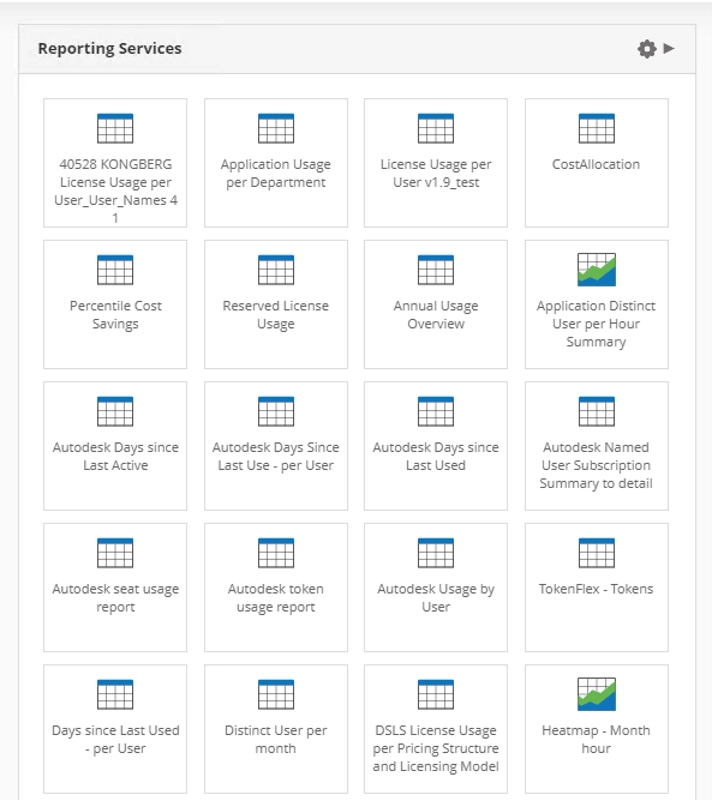
Then you created a new folder in SSRS Home page, like OpeniT.
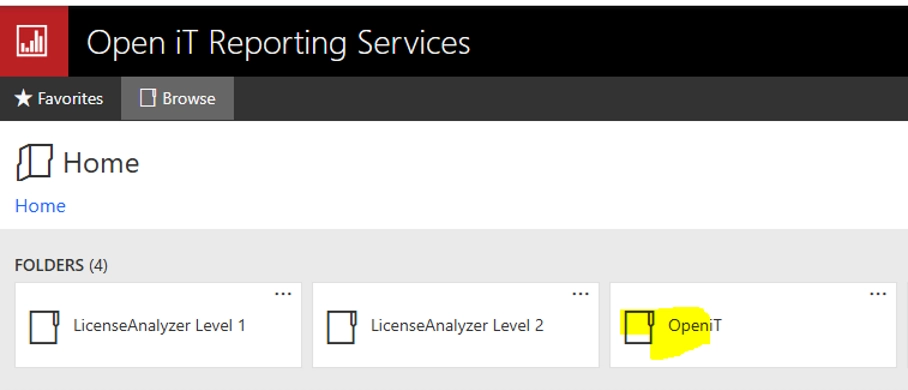
Then you moved the Annual Usage Overview report template inside this new folder, the same report in Home > Reporting Services will no longer work.
- The work around is to create a new link that points to the created folder.
- Then hide the default Reporting link.
- To hide the link, add the following syntax in the Reporting Services editor.
<a href=”http://mnl1371win/reports” target=”blank” style=”visibility: hidden”>Click here to open.</a>
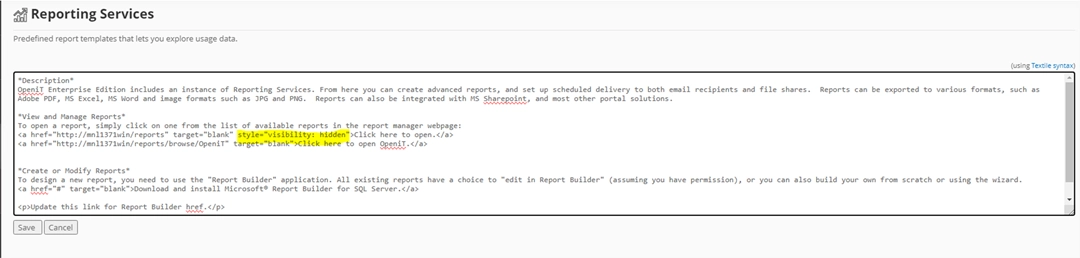
- This will hide the default “Click here to open.” link
- The resulting display will look like below.
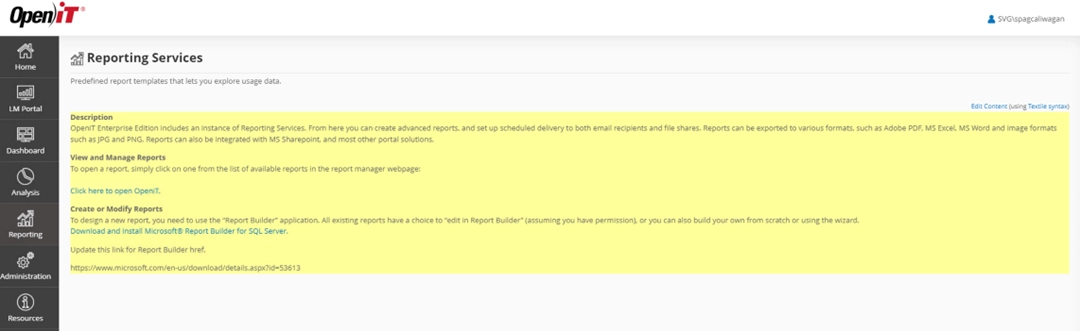
- Notice that the default link is no longer visible.
- This will allow the user to directly access the created OpeniT folder without affecting the Reporting Services in the Home page.