Engineering License Monitoring in the Cloud

LicenseAnalyzer™ Go

Simple to deploy. Ready to report.

Start monitoring your software licenses with minimal setup. Track license usage, availability and denials, and explore historical trends with ready-to-use reports, all in one cloud-based platform.

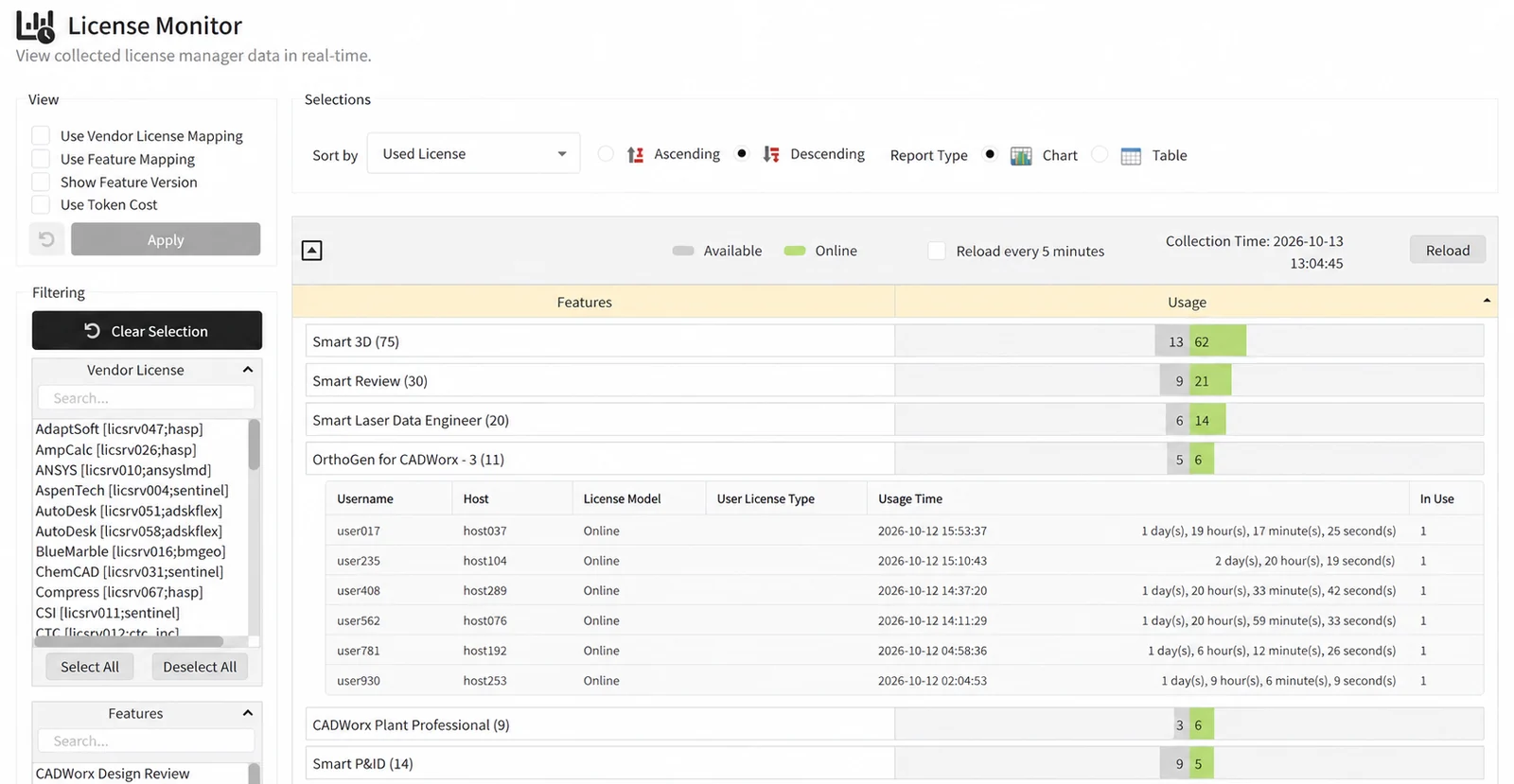
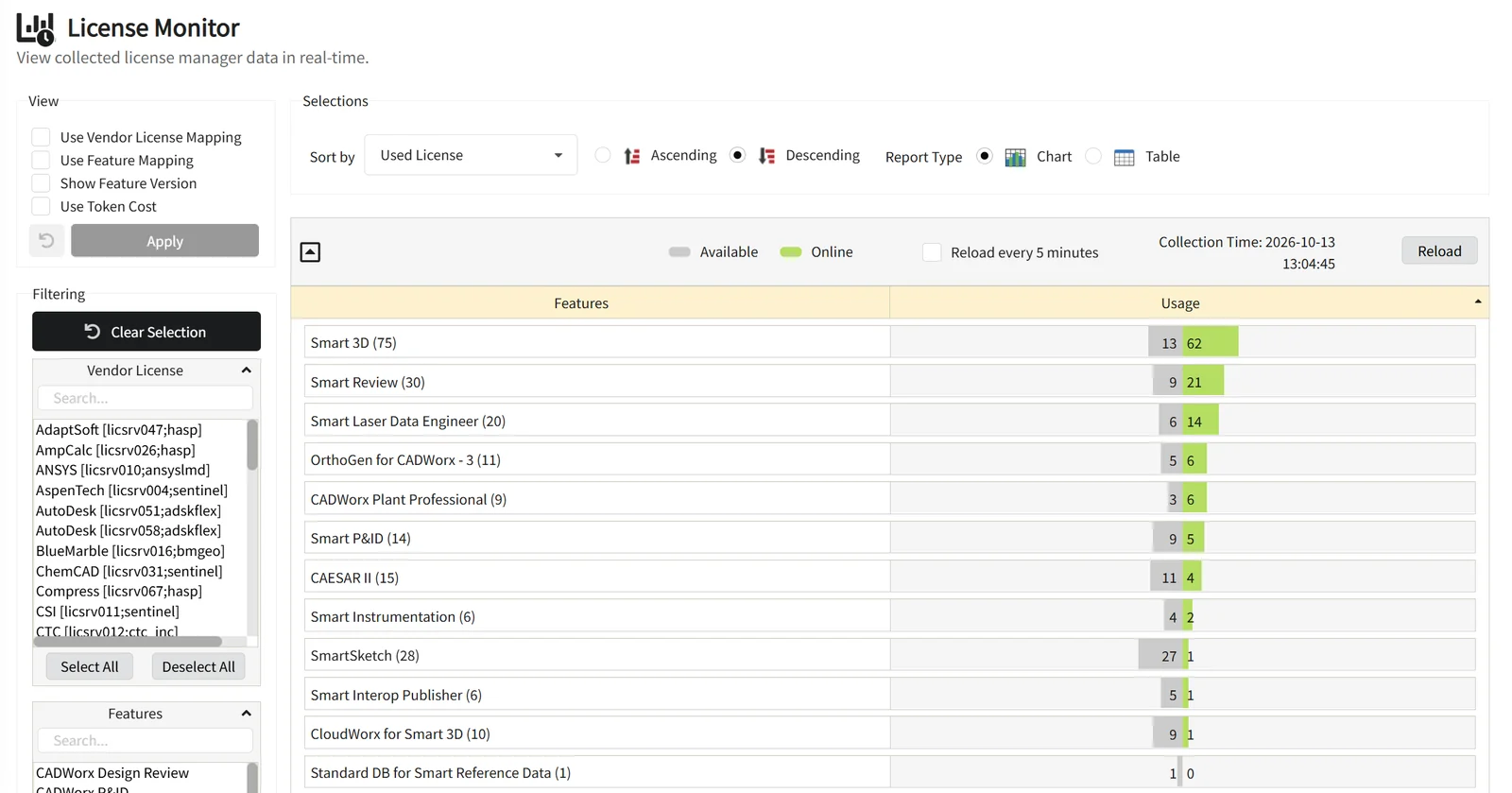
License Monitor showing real-time usage per feature, with available and online license counts

What you get with LicenseAnalyzer Go

  • Fast, simple deployment

    Get started quickly by installing the Open iT Client where needed. No reporting server to set up or manage.

  • Real-time license visibility

    Monitor current license usage and availability across supported license managers and applications, in a single view.

  • Prebuilt reports

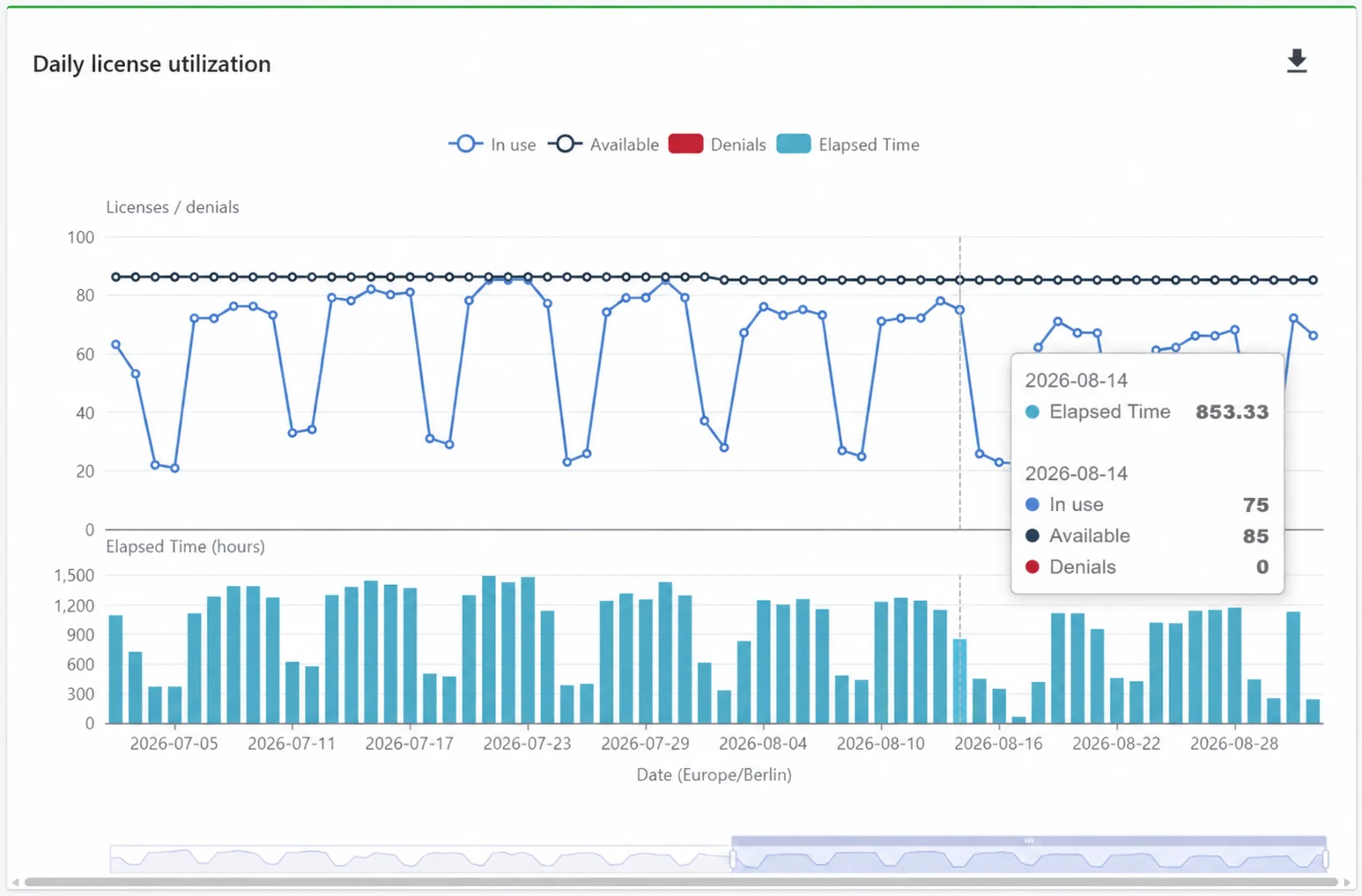
    Explore license utilization, usage trends, denials and efficiency with preconfigured reports. No report building required.

The reports you need, built in

From day-to-day usage to long-term capacity, each report focuses on one question about your licenses.

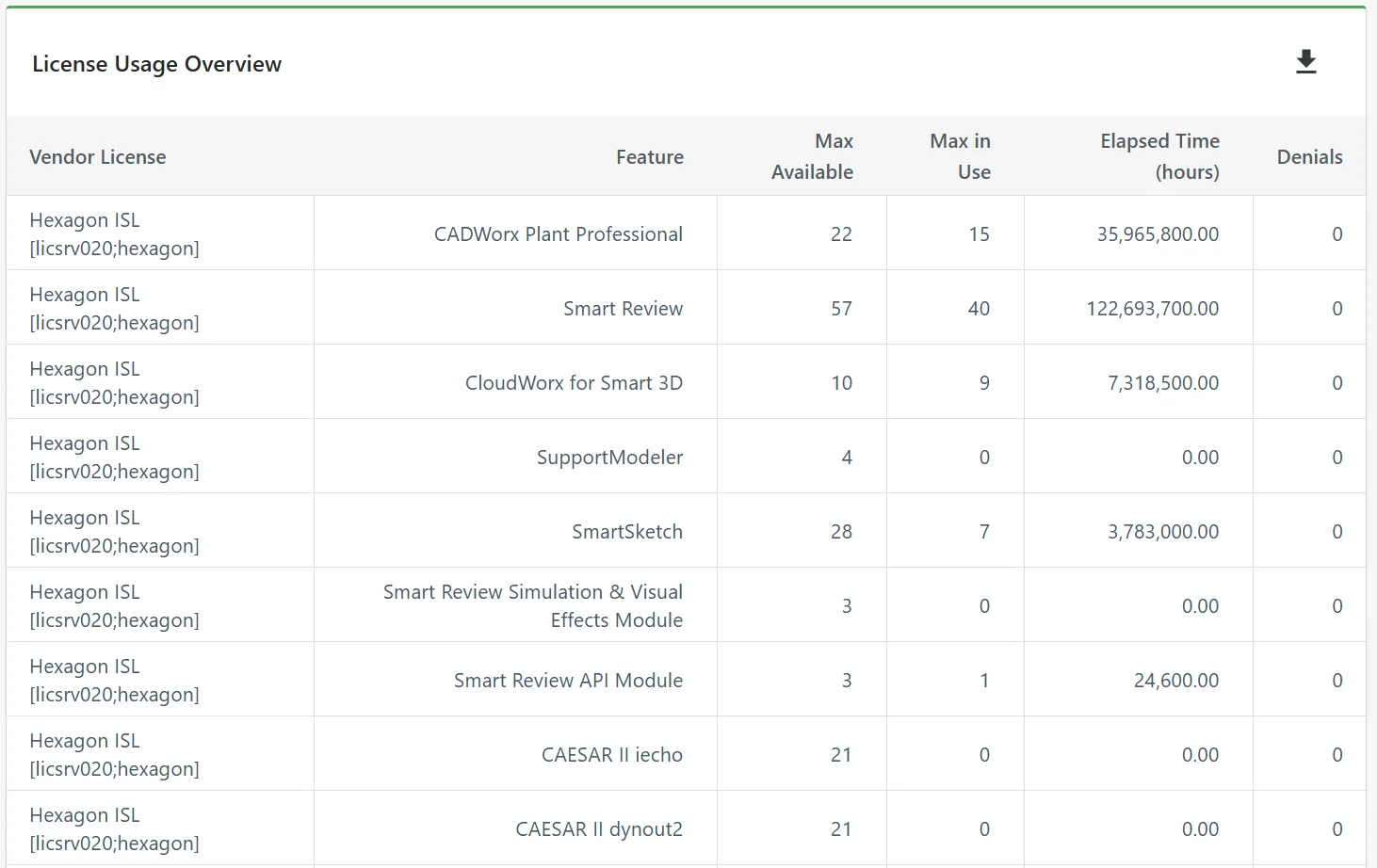
License Usage Overview table: maximum available, maximum in use, elapsed time and denials for each Hexagon feature
License Usage Overview: maximum available, maximum in use, usage time and denials for each feature.

Your license usage at a glance

Review maximum concurrent use, total usage time and denials for each feature, and see overall license usage for the period you pick.
Explore more LicenseAnalyzer Go capabilities

Explore more LicenseAnalyzer Go capabilities

License Monitor with one feature expanded to show anonymized users, hosts and usage time

License Monitor

Watch license use as it happens.

License Monitor shows real-time license usage, using the same functionality already available in Open iT Core Server.

Feature
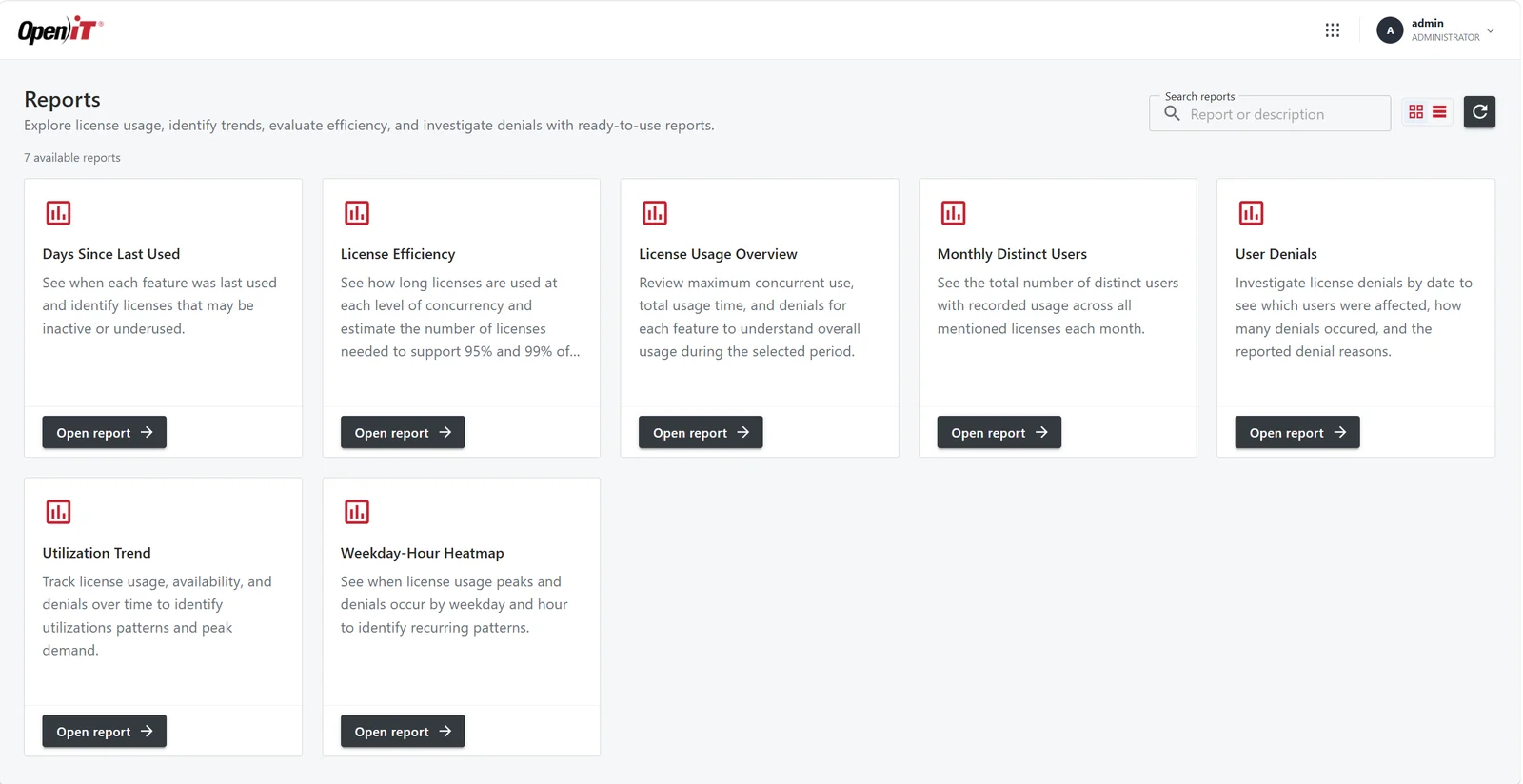
Template Reporting report picker

Template Reporting

Pick a report and start.

Template Reporting is the new Open iT reporting experience: choose a report from the list and start analyzing license usage.

Feature
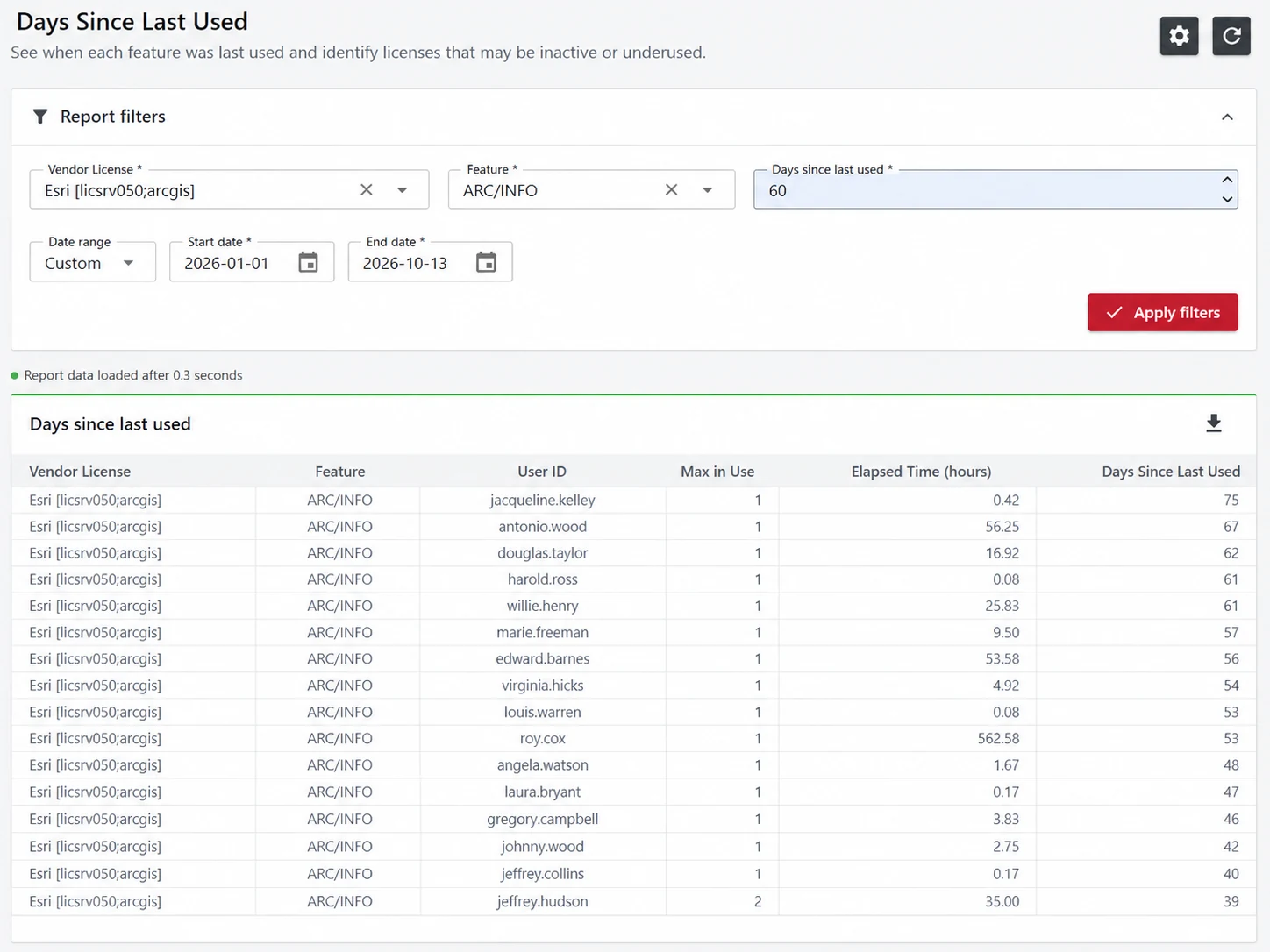
Days Since Last Used report for one Esri ARC/INFO feature, listing each user, elapsed hours and days since the license was last used

Days Since Last Used

Find licenses nobody is using.

See when each feature was last used and spot licenses that may be inactive or underused.

Report
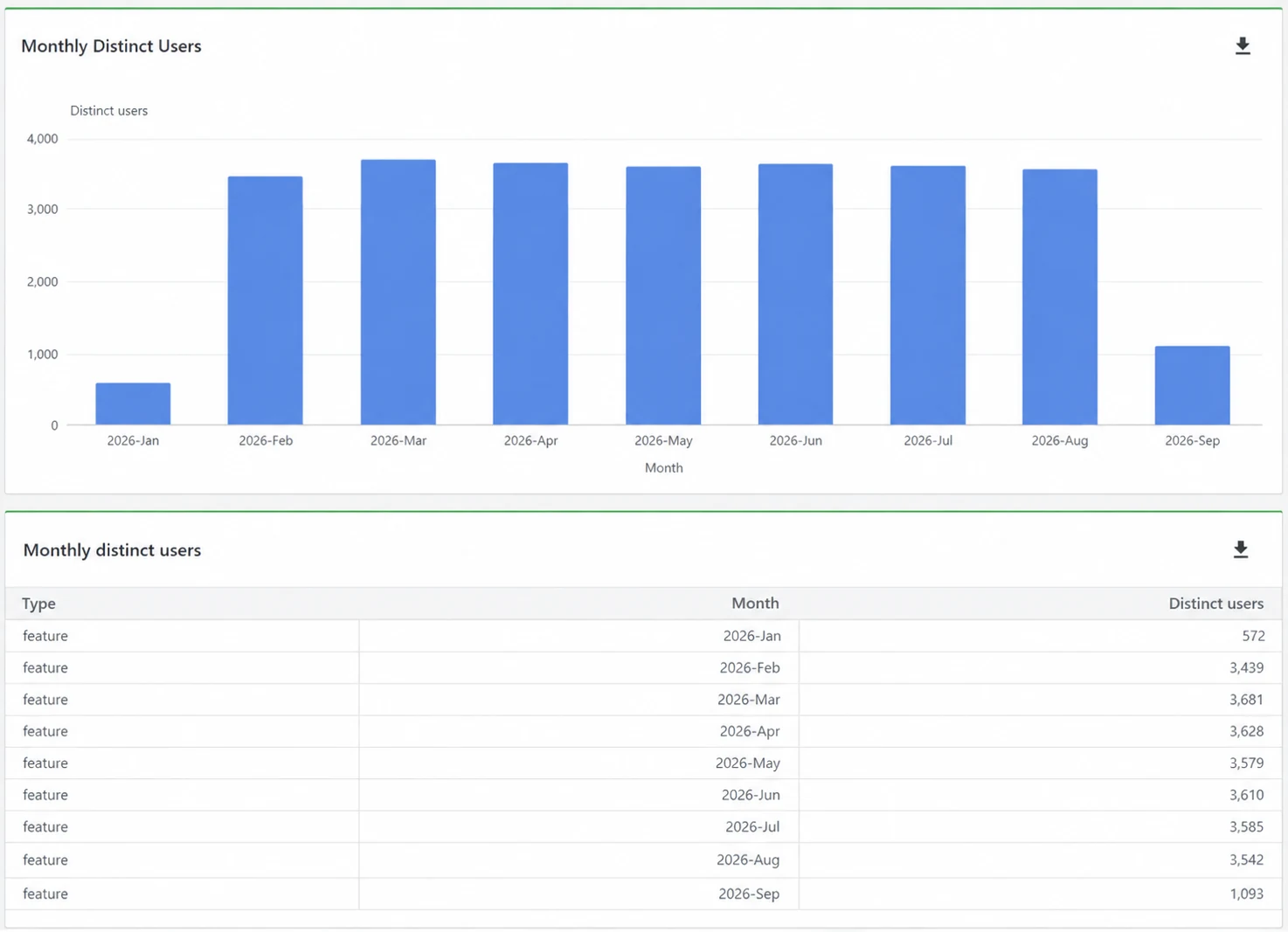
Monthly Distinct Users chart and table, January to September 2026

Monthly Distinct Users

Know how many people really use your software.

See the total number of distinct users with recorded usage across all monitored licenses, month by month.


Report

Explore related Open iT products

These plug-ins run with the full Open iT platform, not with LicenseAnalyzer Go.

CLIMS™

One web portal to run your license servers, with start/stop, options files and expiration alerts.

LicensePlanner™

Chargeback, cost allocation and invoicing from estimated, budgeted and actual spend.

LicensePredictor™

Projects license usage 18 months ahead to prevent shortages and overbuys.

Questions? We have answers

What is LicenseAnalyzer Go?

The cloud edition of Open iT LicenseAnalyzer for teams of up to 350 users. It covers applications on 100+ license managers, plus cloud and desktop applications. Open iT hosts and runs the server; you only install the Open iT Client.

Which reports are included?

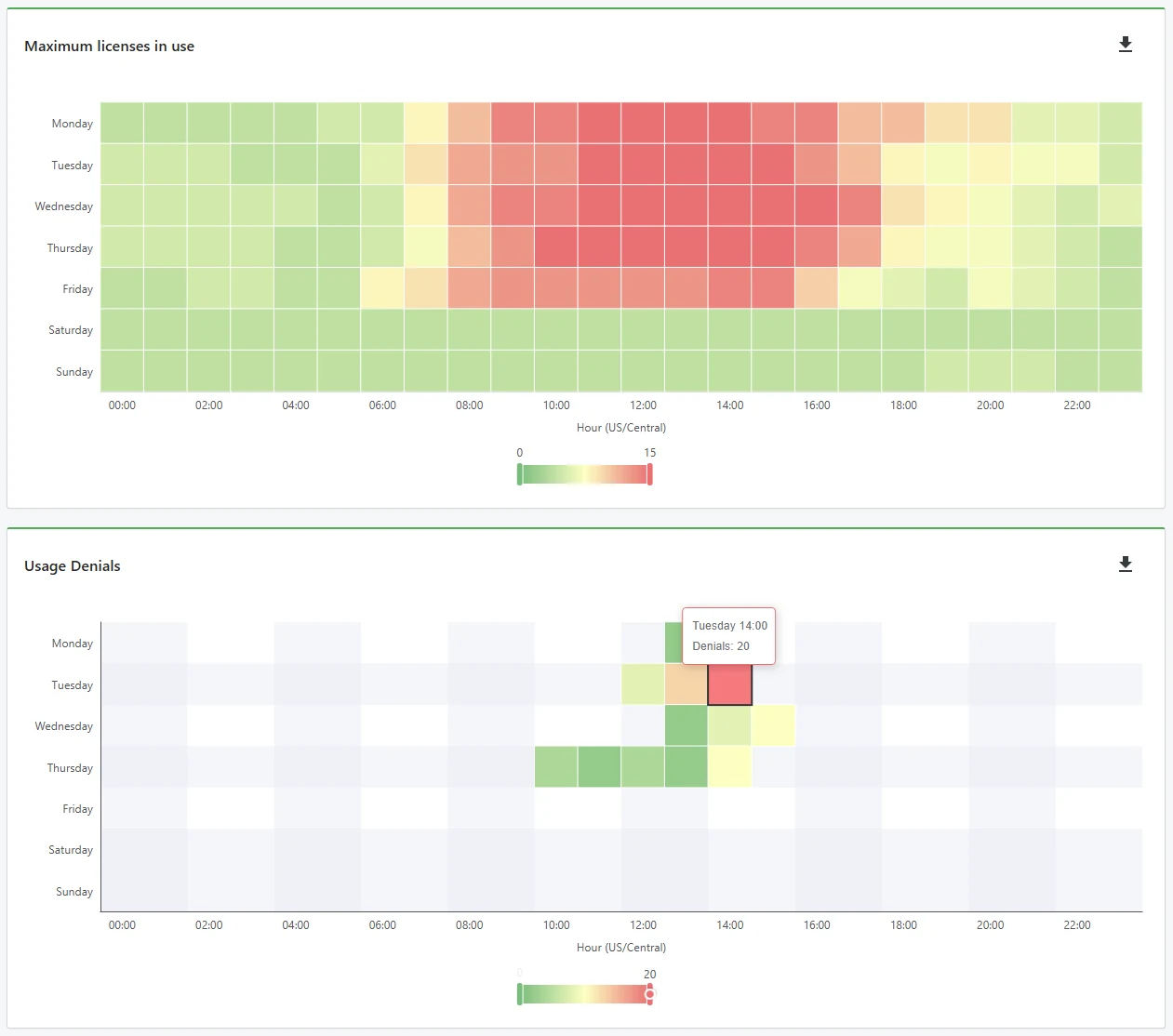
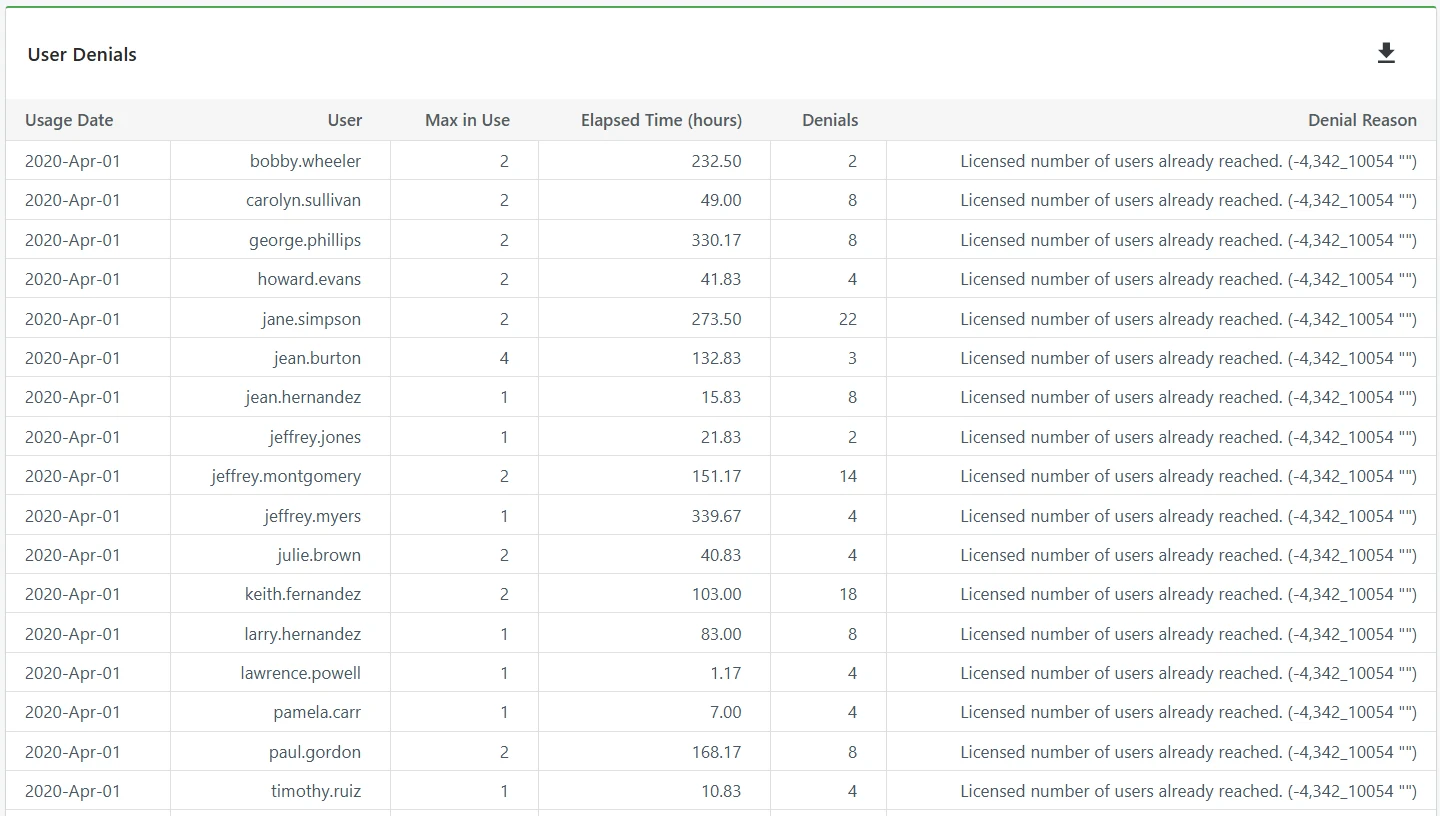
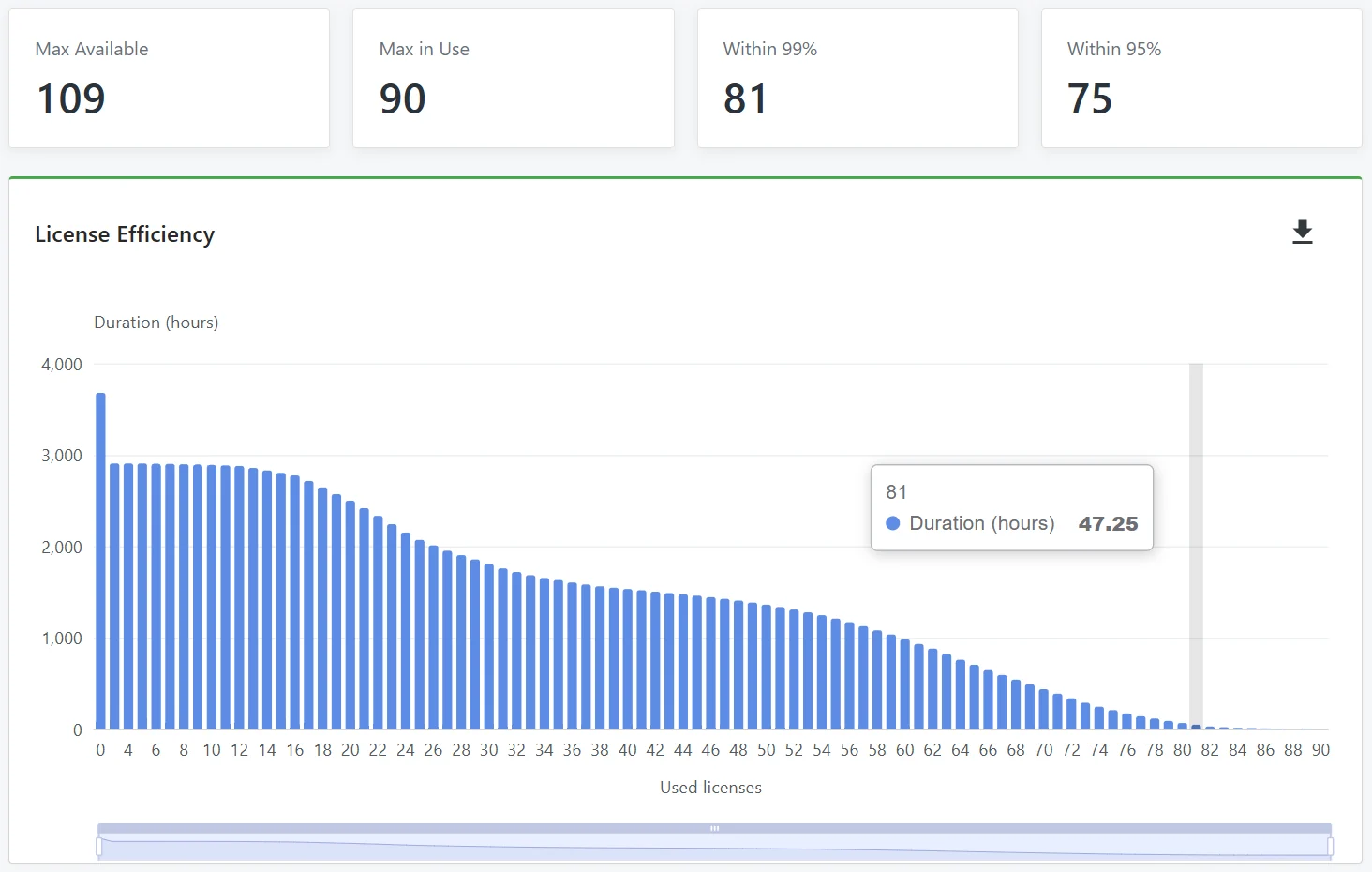
LicenseAnalyzer Go comes with License Monitor for real-time usage and Template Reporting with reports on utilization trends, usage per feature, license capacity, denials, idle licenses, distinct users and peak hours. More reports will be added over time.

How is LicenseAnalyzer Go different from full LicenseAnalyzer?

LicenseAnalyzer Go is feature-level license monitoring and reporting. You see what happens to each feature, and you can rename features one-to-one to make them easier to read. It runs only as SaaS and comes with its own reports, which you can export to Excel and Power BI. The full Open iT platform adds TrueUse™. TrueUse groups features into the commercial products you actually buy and connects license checkouts to real activity, so you can see true concurrency and work through license optimization scenarios. The full platform also supports plug-ins, ad hoc and scheduled reporting and ServiceNow integration, and runs as SaaS or on-premises.

Our tools stay in a controlled environment. Is LicenseAnalyzer Go an option?

LicenseAnalyzer Go runs in Open iT's cloud. If your license data can't leave your network, full LicenseAnalyzer runs on-premises.

Which license managers does it support?

100+, including FlexNet, DSLS, RLM, Sentinel RMS and LM-X.

What happens after you sign up

  1. We review your request

    Our team checks that LicenseAnalyzer Go collects from the applications you picked.

  2. You get your access by email

    Your LicenseAnalyzer Go login and the Open iT Client download.

  3. You install the Open iT Client

    Live usage appears in License Monitor, and the reports fill in as data comes in. Your usage history starts the day you install.

14-day free trial

Your engineering licenses, finally in plain sight.

With LicenseAnalyzer™ Go and 100+ supported license managers, you see who uses which licenses, when requests get denied and what capacity to plan for at your next renewal.

Please note: By submitting this form, you agree to receive communications from Open iT. Details on how we handle your data are in our Privacy Policy.

Scroll to Top

Let's talk

We’ll show you how your business can benefit from Open iT solutions.
Please note:
By submitting this form you are agreeing to receive additional communications from Open iT. Your information will be processed in accordance with our Privacy Notice.